
Your team spent hours creating that perfect SOP last month. Here's the hard truth: it's probably already wrong.
Products change. Processes evolve. But SOPs? They sit there, gathering digital dust, teaching new hires the wrong way to do things.
Companies lose up to $52 million annually due to inefficient process documentation. And employees waste 2 hours every day searching for information that may not even be current. The problem isn't that teams don't create SOPs. It's that those SOPs don't stay accurate.
This guide cuts through the noise. We've tested and evaluated the 10 best SOP creation software options for 2026, focusing on a critical feature most buyers overlook: what happens after you create your SOPs.
What you'll learn:
- How we evaluated each tool (our methodology)
- Detailed comparison of 10 SOP tools with G2 ratings and pricing
- Which tools offer free plans or trials
- The best option for your specific use case (HR, IT, Customer Success, Operations)
- Why auto-updating SOPs are the future of process documentation
Our Evaluation Methodology
We didn't just list features from marketing pages. Our team evaluated each SOP creation tool based on six weighted criteria:
1. Ease of Use (20%) - How quickly can a new user create their first SOP? We timed first-SOP creation for each tool.
2. Output Quality (20%) - Does the tool produce professional, shareable documentation? We assessed video quality, formatting, and branding options.
3. Maintenance Burden (25%) - This is the most overlooked factor. How much time does updating SOPs require when processes change? Auto-update capabilities scored highest.
4. Integration & Sharing (15%) - Can you embed SOPs in help centers, Slack, Confluence, or your product? We tested common integrations.
5. Pricing Value (10%) - We calculated cost per user and cost per SOP for typical team sizes.
6. User Reviews (10%) - We analyzed G2 and Capterra reviews, focusing on feedback about long-term usage, not just initial impressions.
We also consulted with Operations, HR, and Customer Success leaders at SaaS companies to understand real-world SOP challenges.
What Is SOP Creation Software?
SOP creation software helps teams document, organize, and distribute standard operating procedures. These tools transform tribal knowledge into structured, shareable guides that anyone can follow.
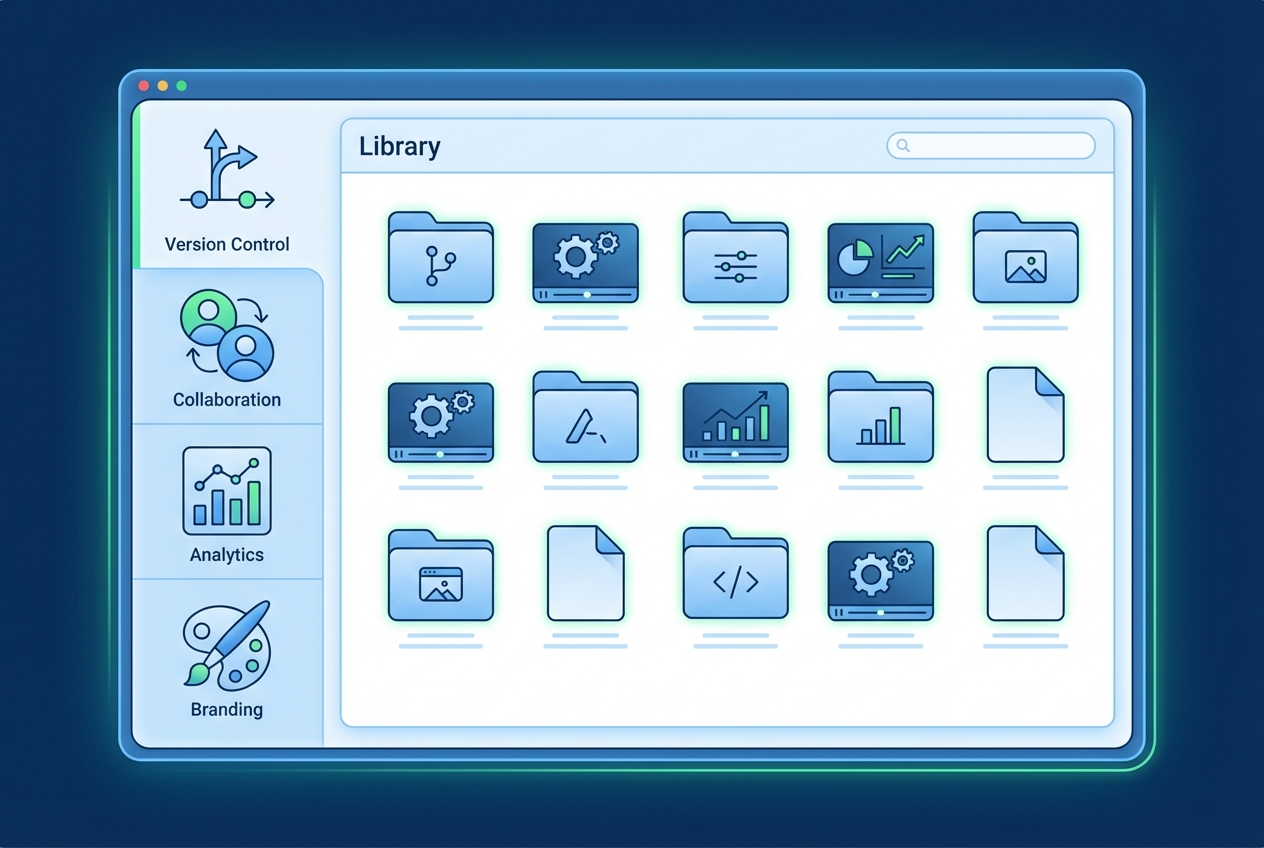
At its core, standard operating procedure software provides:
- Document creation tools for building step-by-step guides
- Templates and formatting to maintain consistency
- Version control to track changes over time
- Sharing and permissions to control who sees what
- Search functionality so employees find answers fast
The Evolution from Static Documents to Living SOPs
First-generation SOP tools were glorified word processors. Create a document, save it to a shared drive, hope someone finds it.
Second-generation tools added collaboration. Multiple people could edit. Version history appeared. But the documents themselves remained static.
Now we're seeing third-generation SOP creation software that treats documentation as a living system. These tools understand that when your product ships a new feature on Tuesday, your SOPs need to reflect that change by Wednesday.
Types of SOP Software: Text-Based vs. Video-First
The market splits into two camps:
Text-based SOP tools create written documentation with screenshots. They're familiar, searchable, and work well for simple processes. But they require significant effort to maintain and update.
Video-first SOP tools capture actual workflows as interactive video guides. They show exactly what to do, not just describe it. Some generate text documentation automatically from video content.

Why Your SOPs Are Probably Outdated
Here's the dirty secret nobody in SOP software wants to talk about: most documentation becomes obsolete the moment you publish it.
Only 29% of new hires feel fully prepared after onboarding. That's not because companies skip documentation. It's because the documentation they have doesn't match reality.
The Maintenance Burden Nobody Calculates
When evaluating SOP creation software, buyers focus on creation speed. How fast can I build my first SOP? That's the wrong question.
The right question: How much time will I spend maintaining these SOPs over the next two years?
Traditional SOP tools require manual updates. Every time your product changes, someone must:
- Identify which SOPs are affected
- Open each document
- Update text and screenshots
- Review for accuracy
- Republish
For a SaaS company shipping updates weekly, this becomes a full-time job. Most teams simply don't do it. The SOPs decay.
Good documentation reduces support tickets by 20-66%. But only if it's accurate.
6 Essential Features to Look for in SOP Creation Software
Before we dive into specific tools, let's establish evaluation criteria. These six features separate great SOP software from tools that create more problems than they solve.
1. Speed to First SOP
How quickly can a new user create their first useful SOP? This matters for adoption.
If your SOP tool requires hours of training before anyone can use it, adoption dies. The best tools let someone capture a process in minutes.
2. Multiple Output Formats
Different audiences need different formats. Your support team might prefer video walkthroughs. Your compliance team needs PDF exports. Your help center requires embeddable web content.
The best SOP creation software generates multiple formats from a single source. Capture once, publish everywhere.
3. Auto-Update Capabilities
This is the feature most buyers overlook. And it's the most important.
Ask any SOP vendor: "When my product changes, how do I update my documentation?"
Most will describe a manual process. Some tools offer something better: AI-powered auto-updates that detect changes and refresh documentation automatically. This is the difference between SOPs that stay current and SOPs that decay.
4. Branding and Customization
Your SOPs should look like they belong to your company. Consistent branding builds trust, especially for customer-facing documentation.
5. Sharing and Embedding Options
Documentation is useless if people can't find it. The best SOP tools integrate with your existing systems.
Look for: Embed codes for help centers, integrations with Zendesk/Intercom/Confluence, shareable links, in-app widget options, embeddable Learning Centers.
6. Analytics and Tracking
How do you know if your SOPs are working? Analytics reveal which guides get used, where users drop off, and what's missing.
Best SOP Creation Software: 10 Tools Compared
Let's examine the top SOP creation tools for 2026, with honest pros and cons for each.
Quick Comparison Table
| Tool | Best For | G2 Rating | Free Tier | Auto-Update | Video | Starting Price |
|---|---|---|---|---|---|---|
| Scribe | Quick screenshot guides | Yes | - | - | Free / $29/user/mo | |
| Process Street | Workflow automation | Trial | - | - | $30/user/mo | |
| Trainual | Employee training | Trial | - | Embed | $249/mo | |
| SweetProcess | Policy management | Trial | - | Limited | $99/mo | |
| StorytoDoc | Auto-updating video SOPs | Yes | Yes | Yes | $49/mo | |
| Document360 | Knowledge bases | Trial | - | Embed | $149/mo | |
| Tango | Visual step-by-step guides | Yes | - | - | Free / $20/user/mo | |
| Whale | Contextual SOP delivery | Trial | - | Embed | Contact | |
| Tallyfy | Process automation | Trial | - | - | $30/user/mo | |
| ClickUp | All-in-one teams | Yes | - | Limited | Free / $7/user/mo |
G2 ratings as of January 2026. Free tier = permanent free plan available. Trial = time-limited free trial only.
1. Scribe - Best for Quick Screenshot Guides
Overview: Scribe automatically captures your workflow as you complete it, generating step-by-step guides with screenshots and text instructions.
G2 Rating: 4.8/5 (1,500+ reviews)
Best For: Teams needing quick documentation of repetitive processes. Internal training and knowledge transfer.
Pricing: Free tier available. Pro starts around $29/user/month.
Pros:
- Extremely fast to create guides (under 2 minutes)
- Generous free tier with unlimited guides
- Chrome extension makes capturing workflows effortless
- AI-generated text descriptions
Cons:
- Static screenshots require manual updates when processes change
- No video output - screenshot-only
- Per-user pricing gets expensive for larger teams
2. Process Street - Best for Workflow Automation
Overview: Process Street combines SOP documentation with workflow automation. Create checklists that enforce process compliance.
G2 Rating: 4.7/5 (650+ reviews)
Best For: Operations teams needing compliance and accountability. Recurring processes with multiple steps.
Pricing: Starts around $30/user/month. 14-day free trial.
Pros:
- Powerful workflow automation with conditional logic
- Great for recurring checklists and audits
- Strong approval workflows and task assignments
- Integrates with 1,000+ apps via Zapier
Cons:
- More workflow tool than documentation tool
- Not ideal for customer-facing content
- Learning curve for advanced automation
3. Trainual - Best for Employee Training Programs
Overview: Trainual focuses on onboarding and training, turning SOPs into structured learning experiences with quizzes and progress tracking.
G2 Rating: 4.7/5 (700+ reviews)
Best For: HR teams building onboarding programs. Companies scaling with many new hires.
Pricing: Starts around $249/month for small teams. 7-day free trial.
Pros:
- Built-in quizzes and knowledge checks
- Progress tracking for employee onboarding
- Role-based content assignment
- Clean, modern interface
Cons:
- Higher price point than pure SOP tools ($249/mo minimum)
- Overkill if you just need documentation without training features
- Video embedding only - no native video creation
4. SweetProcess - Best for Policy Management
Overview: SweetProcess emphasizes process documentation with strong version control and approval workflows.
G2 Rating: 4.8/5 (85+ reviews)
Best For: Organizations needing formal policy documentation. Compliance-heavy industries.
Pricing: Starts around $99/month. 14-day free trial.
Pros:
- Excellent version control and audit trails
- Strong approval workflows for compliance
- Team collaboration features
- Simple, no-frills interface
Cons:
- Traditional text-based approach
- Limited video capabilities
- Manual updates required when processes change
5. StorytoDoc - Best for Auto-Updating Video SOPs
Overview: StorytoDoc takes a fundamentally different approach to SOP creation. Instead of building static documentation, it creates "stories" - interactive video guides that update automatically when your product changes.
G2 Rating: 4.9/5 (50+ reviews)
Best For: SaaS product teams, customer success teams, anyone with rapidly changing products.
Pricing: Free trial available. Starts at $49/month. See pricing details.
Pros:
- One-click auto-updates - only tool with this feature
- Interactive HTML video guides users can navigate step-by-step
- AI voice-over and avatar introductions
- Multi-format output (video, article, PDF) from single capture
- Embeddable Learning Center for customer-facing docs
- Most affordable option with auto-update capability
Cons:
- Newer platform with smaller review base
- Best suited for product/software documentation (not physical processes)
Why It Stands Out: The one-click update feature is genuinely unique. When your product changes, you don't recreate documentation from scratch. You click one button and the AI bot recaptures everything automatically. This eliminates the maintenance burden that plagues every other SOP tool.
See StorytoDoc in action:
Start your free trial and create your first auto-updating SOP in under 5 minutes.
6. Document360 - Best for Comprehensive Knowledge Bases
Overview: Document360 is a full-featured knowledge base platform with AI-powered content creation and analytics.
G2 Rating: 4.7/5 (400+ reviews)
Best For: Companies building extensive help centers. Technical documentation teams.
Pricing: Starts around $149/month. 14-day free trial.
Pros:
- AI-powered content suggestions and search
- Advanced analytics and content performance tracking
- Multi-language support
- Strong categorization and navigation
Cons:
- More knowledge base than SOP tool
- Requires content strategy expertise
- Higher starting price for basic features
7. Tango - Best for Step-by-Step Visual Guides
Overview: Tango captures your workflow and generates visual guides with annotated screenshots.
G2 Rating: 4.8/5 (450+ reviews)
Best For: Quick documentation of software processes. Training materials for internal tools.
Pricing: Free tier available. Paid plans starting around $20/user/month.
Pros:
- Beautiful, clean visual output
- Very fast capture and publishing
- Good free tier for individuals
- Easy sharing and export options
Cons:
- Static output requires manual updates
- Limited customization options
- No video output - screenshots only
8. Whale - Best for Contextual SOP Delivery
Overview: Whale focuses on delivering SOPs to employees in context, with a browser extension that surfaces relevant procedures as people work.
G2 Rating: 4.6/5 (120+ reviews)
Best For: Companies wanting to embed SOPs into daily workflows. Teams struggling with SOP adoption.
Pricing: Contact for pricing. Free trial available.
Pros:
- Contextual delivery surfaces SOPs when needed
- Browser extension integration
- Good for driving SOP adoption
- Training and quiz features
Cons:
- Requires browser extension adoption from all users
- Better for internal than customer-facing use
- Pricing not transparent
9. Tallyfy - Best for Process Automation
Overview: Tallyfy turns documented processes into automated workflows with real-time tracking.
G2 Rating: 4.6/5 (180+ reviews)
Best For: Operations teams automating repetitive processes. Client onboarding workflows.
Pricing: Starts around $30/user/month. Free trial available.
Pros:
- Strong process automation and tracking
- Real-time workflow visibility
- Good for client-facing processes
- Template library for common workflows
Cons:
- More workflow automation than documentation
- Learning curve for advanced features
- Less focused on content creation
10. ClickUp - Best for All-in-One Teams
Overview: ClickUp includes docs functionality within its broader project management platform.
G2 Rating: 4.7/5 (9,500+ reviews)
Best For: Teams already using ClickUp who want documentation in the same place.
Pricing: Generous free tier. Paid starts around $7/user/month.
Pros:
- Included with project management - no extra cost
- Deep integration with tasks and projects
- Collaborative editing and comments
- Very affordable for existing ClickUp users
Cons:
- Docs are secondary to project management
- No specialized SOP features
- Limited video support
- Not ideal for customer-facing documentation
Free SOP Software Options: What's Actually Free?
Budget-conscious teams often search for free SOP software. Here's the reality of what's available without paying:
Truly Free (Forever)
- Scribe Free: Unlimited guides, Chrome extension capture, basic sharing. Best free option for individuals.
- Tango Free: Unlimited captures, basic editing, shareable links. Great for personal documentation.
- ClickUp Free: 100MB storage, unlimited tasks, docs included. Best if you need project management too.
- StorytoDoc Free Trial: Full features for 14 days, then free tier with limited credits. Best to test auto-update capabilities.
Free Trials Only (Time-Limited)
- Process Street: 14-day trial, then $30/user/month
- Trainual: 7-day trial, then $249/month minimum
- SweetProcess: 14-day trial, then $99/month
- Document360: 14-day trial, then $149/month
The Hidden Cost of Free
Free tools work for simple, stable processes. But free tiers typically lack:
- Auto-updates: You'll spend hours manually updating when things change
- Video output: Most free tiers are screenshot-only
- Branding: Your SOPs will have the tool's watermark
- Analytics: No visibility into what's being used
Calculate your time cost: If you spend 5 hours/month manually updating SOPs at $50/hour, that's $250 in hidden costs. A paid tool with auto-updates often costs less than the time you'd spend maintaining free alternatives.
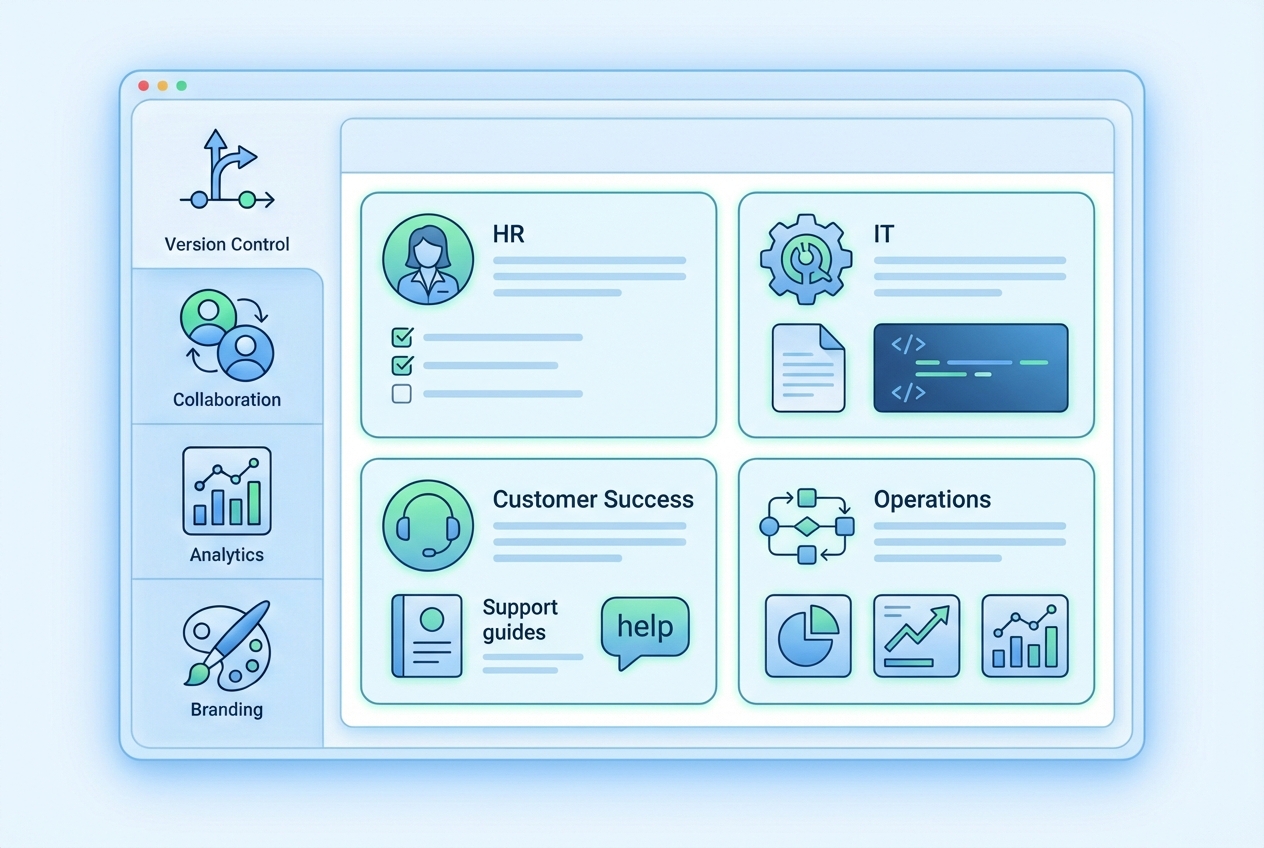
Best SOP Software by Use Case
Different teams have different needs. Here's our recommendation by role:
For HR & Employee Onboarding
Best choice: Trainual - Built specifically for employee training with quizzes, progress tracking, and role-based content. Worth the higher price if onboarding is your primary use case.
Budget alternative: Scribe - Create quick guides for HR processes without the training features.
For IT & Technical Teams
Best choice: Document360 - Strong for technical documentation with versioning, API docs support, and developer-friendly features.
Budget alternative: Tango - Quick software documentation with annotated screenshots.
For Customer Success & Support
Best choice: StorytoDoc - Interactive video guides that stay current with your product. Embeddable Learning Center perfect for customer-facing content.
Budget alternative: Scribe + Notion - Capture with Scribe, organize in Notion.
For Operations & Compliance
Best choice: Process Street - Workflow automation ensures processes are followed correctly. Great for audits and compliance.
Budget alternative: SweetProcess - Strong version control and approval workflows at a lower price point.
For SaaS Product Teams
Best choice: StorytoDoc - The only tool where documentation updates automatically when your product changes. Essential for fast-shipping teams.
Budget alternative: Tango + manual updates - Works if your product changes slowly.
How to Choose the Right SOP Creation Software
With 10 strong options, how do you decide? Follow this framework:
Step 1: Define Your Primary Use Case
Are you documenting internal operations or creating customer-facing content?
Internal operations (HR processes, IT procedures, compliance protocols): Traditional SOP tools like SweetProcess, Process Street, or Trainual work well.
Customer-facing documentation (product guides, help centers, onboarding flows): Look at tools with embedding and branding options like StorytoDoc or Document360.
Step 2: Assess Your Content Format Needs
Does your audience prefer text or video?
For video-first needs, only StorytoDoc offers truly interactive video with auto-updates. Other options require manual video creation and maintenance.
Step 3: Evaluate Maintenance Requirements
How often will your documented processes change?
Stable processes (compliance procedures, HR policies): Manual update tools work fine.
Rapidly changing processes (SaaS product features, software workflows): Auto-update capabilities become essential.
Step 4: Calculate Total Cost of Ownership
Don't just compare subscription prices. Factor in:
- Creation time: How long to build each SOP?
- Maintenance time: How long to update when things change?
- Training time: How long before your team can use the tool effectively?
- Integration costs: Does it work with your existing stack?
A $29/month tool that requires 10 hours of maintenance monthly costs more than a $99/month tool with auto-updates. Learn more about how to measure documentation ROI.

The Future of SOP Software: 2025 Trends
The SOP creation software market is evolving rapidly. Here's where it's heading:
AI-Powered SOP Generation and Maintenance
AI isn't just helping create SOPs faster. It's maintaining them automatically.
Tools that detect product changes and update documentation without manual intervention are the next frontier. This shift from "AI helps you write" to "AI keeps content current" changes the economics of documentation entirely.
Video-First Documentation Replacing Static Screenshots
Users increasingly expect video. They've grown up on YouTube and TikTok. Reading walls of text feels outdated.
Interactive video SOPs that let users click through at their own pace will replace static screenshot guides. The engagement difference is dramatic.
Auto-Updating SOPs That Evolve With Your Product
The biggest shift? Treating documentation as a living system, not a static deliverable.
When documentation updates automatically with each product release, teams can finally escape the maintenance treadmill. The best SOP creation software in 2025 will make outdated documentation impossible.
Conclusion: Creating SOPs That Actually Stay Current
The SOP creation software market offers more options than ever. But most tools still focus on the wrong problem.
Creating SOPs isn't hard. Keeping them accurate is nearly impossible with traditional approaches.
When evaluating SOP software, ask vendors the hard question: "When my product changes next month, what happens to my documentation?"
If the answer involves manual recreation, factor that time into your total cost. For rapidly changing products, consider tools with auto-update capabilities.
The best SOP isn't the one that looks prettiest on day one. It's the one that's still accurate on day 365.
Ready to see what auto-updating SOPs look like? Start your free trial and create your first self-updating documentation in 5 minutes.
In Doc We Trust.

![Video Documentation Service: The Complete Guide for SaaS Teams [2026]](/images/blog/video-documentation-service-saas-guide-featured.png)
![10 Product Documentation Tools for SaaS [Compared 2026]](/images/blog/product-documentation-software-saas-featured.png)