
![10 Best Knowledge Base Software for SaaS [2026]](/images/blog/knowledge-base-software-saas-buyers-guide-featured.png)
Your customers are searching for answers right now. 81% will try to solve problems themselves before they ever contact your support team.
The question isn't whether you need a knowledge base. It's whether the one you pick will still be useful six months from now.
Here's the thing. Every knowledge base software on this list can organize your content beautifully. Great search. Clean categories. Nice branding. But organized content that's outdated is still useless. And 80% of SaaS teams have exactly that problem.
This guide compares the 10 best knowledge base software for SaaS teams in 2026. We cover features, pricing, and limitations honestly. Plus the one critical factor most buyer's guides skip entirely: what happens to your knowledge base after you launch it.
What Is Knowledge Base Software?
Knowledge base software is a platform that helps companies create, organize, and publish self-service documentation so customers or employees can find answers without contacting support. For SaaS companies, that means help articles, how-to guides, FAQs, troubleshooting content, and product documentation, all searchable from one central hub.
Internal vs. External Knowledge Bases
There are two types, and most SaaS teams need both:
- External knowledge bases face your customers. They answer "How do I...?" questions, reduce support tickets, and help users get value from your product faster.
- Internal knowledge bases face your team. They store processes, SOPs, product specs, and tribal knowledge so everyone stays aligned.
Some tools handle both well. Others are purpose-built for one or the other. We'll call this out for each tool below.
Why SaaS Companies Need One Specifically
SaaS products change constantly. New features ship weekly. UI updates roll out monthly. Your knowledge base needs to keep pace with those changes, or it becomes a liability instead of an asset.
That's the challenge most knowledge base software wasn't built to solve. But more on that later.
Why Every SaaS Company Needs Knowledge Base Software
Let's talk numbers. The business case for knowledge base software is one of the clearest ROI stories in SaaS.
Your customers expect self-service. 98% of customers rely on FAQ pages or help centers for answers. 73% prefer finding answers on a company's website over calling or emailing support (Forrester). 67% prefer solving problems independently (SalesLion).
The expectation isn't shifting. It already shifted.
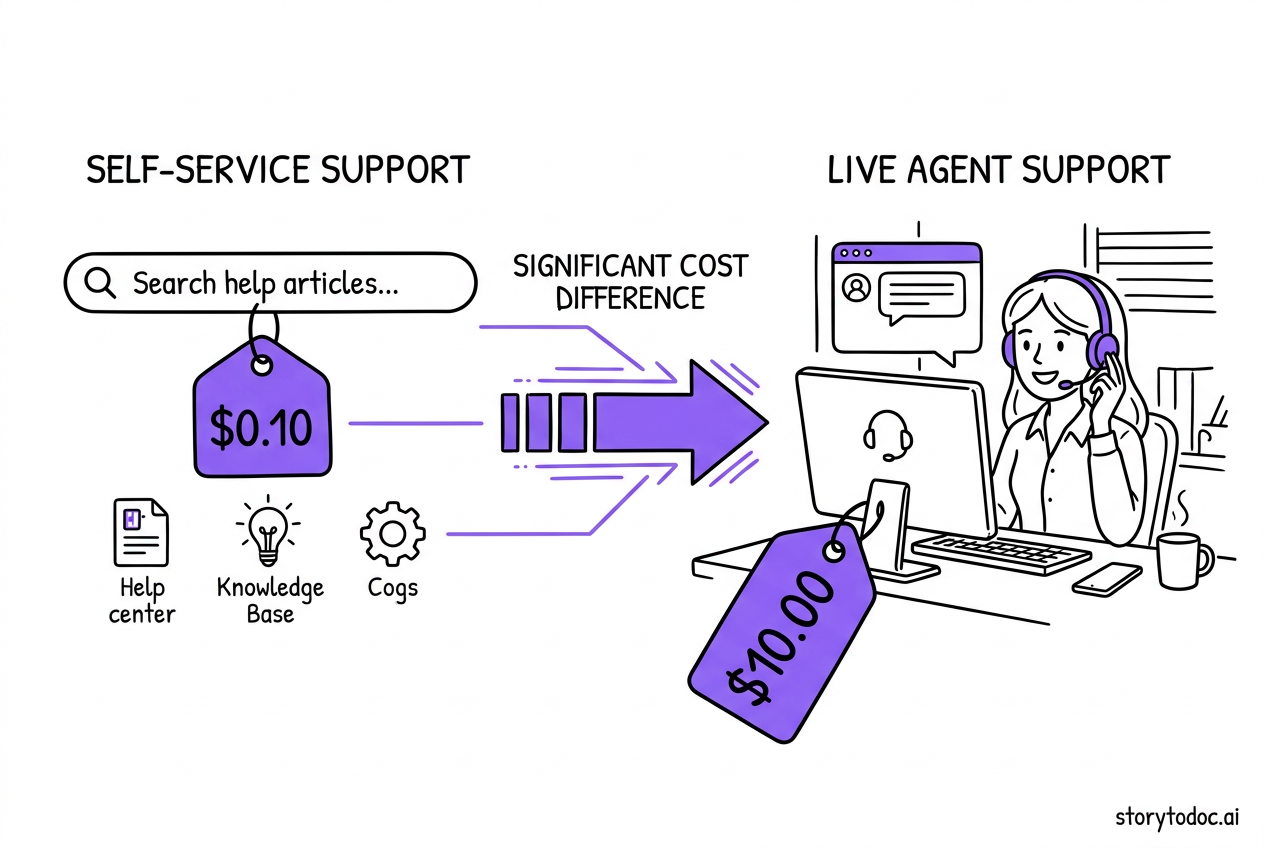
The cost math is brutal. Every live support interaction costs your company $8-$12. Every self-service interaction costs $0.10. That's not a rounding error. That's an 80-120x cost difference.
Let's make it concrete. If your team handles 500 support tickets per month:
- Without knowledge base: 500 x $10 = $5,000/month
- With 40% ticket deflection: 300 x $10 = $3,000/month
- Annual savings: $24,000
And 40% is conservative. Mature knowledge bases deflect 40-70% of support tickets. Unity saved $1.3 million through nearly 8,000 fewer tickets alone.
The market confirms this. Knowledge base software is a $2.1 billion market in 2024, growing to $5.5 billion by 2033 at 11% CAGR (Growth Market Reports). 72% of organizations worldwide have adopted centralized knowledge-sharing platforms (Business Research Insights).
The stakes are real. 75% of SaaS users would consider leaving if they repeatedly encounter issues without easy answers (Designli). Your knowledge base isn't optional infrastructure. It's survival infrastructure.
What to Look for in Knowledge Base Software for SaaS
Before comparing tools, you need a framework. Here's what actually matters when evaluating knowledge base software for SaaS teams:
Content Creation and Editing
Your team will live in this editor daily. Look for:
- WYSIWYG editor (not just markdown)
- Template support for consistent formatting
- Media embedding (images, video, GIFs)
- Version history and collaboration features
- Import from existing docs (Word, Google Docs, Confluence)
Search That Actually Works
This is the #1 feature that separates good knowledge bases from bad ones. 40% of self-service attempts fail due to poor search (Gartner). Your search needs to handle typos, synonyms, and natural language queries.
AI-powered search is quickly becoming table stakes. If the tool doesn't have it today, it'll need it tomorrow.
Analytics and Optimization
You can't improve what you can't measure. Key metrics to track:
- Which articles get the most views
- What users search for but don't find (failed searches)
- Article helpfulness ratings
- Traffic sources and user paths
- Content gap identification
Integrations
Your knowledge base doesn't exist in a vacuum. Essential integrations include:
- Help desk: Zendesk, Intercom, Freshdesk for ticket-to-article workflows
- Chat tools: Surface relevant articles during live conversations
- CRM: Track which customers use self-service
- Analytics: Google Analytics, Mixpanel for deeper insights
Customization and Branding
Your knowledge base should look like YOUR product, not a third-party tool. Look for custom domains, CSS control, logo/color branding, and flexible layouts.
The Feature Most Guides Skip: Content Freshness
Here's what nobody else asks during evaluation: How does this tool help you keep content updated?
Your SaaS product will change. Screenshots will become outdated. Workflows will shift. Features will get renamed. If your knowledge base software doesn't help you identify and update stale content, you're setting up a maintenance nightmare.
Look for content review reminders, article freshness scores, version-aware content, and integration with your release process. We'll dig deeper into why this matters later.
10 Best Knowledge Base Software for SaaS [2026]
Here's our honest comparison of the top knowledge base software for SaaS. No vendor paid for placement. We evaluated each tool based on features, ease of use, pricing, and how well it serves SaaS teams specifically.
1. Document360
Best for: Mid-size to enterprise SaaS teams who need a dedicated, full-featured knowledge base platform.
Document360 is purpose-built for knowledge bases and it shows. The editor is powerful, the category management is flexible, and the analytics go deep. Their AI-powered search handles natural language queries well, and the platform supports both internal and external knowledge bases.
Key strengths: Advanced category management, AI-powered search and suggestions, robust analytics dashboard, API-first architecture, workflow approvals for content governance.
Pricing: Starts around $149/month for business plans. Enterprise pricing varies. Free tier available with limited features.
Limitations: Can feel complex for small teams. Pricing scales quickly at enterprise level. The editor has a learning curve compared to simpler tools.
2. Zendesk Guide
Best for: Teams already using Zendesk for support who want a tightly integrated knowledge base.
Zendesk Guide is the knowledge base module within the Zendesk Suite. The integration with Zendesk ticketing is its biggest advantage. Agents can create articles directly from resolved tickets, and the system suggests relevant articles to customers before they submit tickets.
Key strengths: Deep integration with Zendesk ticketing, AI-powered article recommendations, Answer Bot for automated responses, community forums, multilingual support.
Pricing: Included in Zendesk Suite plans ($55-$115/agent/month). You can't buy Guide standalone. It comes with the full Zendesk package.
Limitations: Locked into the Zendesk ecosystem. Overkill if you only need a knowledge base without ticketing. Customization is limited compared to dedicated KB tools. Content editor is basic.
3. Help Scout (Docs)
Best for: Small to mid-size SaaS teams who value simplicity and clean design.
Help Scout Docs is refreshingly simple. Clean editor, straightforward organization, good search, and it looks great out of the box. If you're using Help Scout for email support, the integration makes the knowledge base feel like a natural extension.
Key strengths: Beautiful default design, Beacon widget for in-app help, simple setup and management, good API, collision detection for multi-author editing.
Pricing: Included in Help Scout plans ($22-$65/user/month). Docs comes with all plans.
Limitations: Limited customization compared to dedicated KB platforms. Basic analytics. No AI-powered features yet. Category structure is flat (no deep nesting).
4. Confluence (Atlassian)
Best for: Internal knowledge bases and engineering teams already in the Atlassian ecosystem.
Confluence is the standard for internal documentation among technical teams. It's a wiki-style platform with strong collaboration features, deep Jira integration, and flexible content structure. For internal knowledge management, it's hard to beat.
Key strengths: Deep Jira and Atlassian integration, flexible page hierarchy, real-time collaboration, extensive template library, powerful search across all Atlassian products.
Pricing: Free for up to 10 users. Standard plans start at $5.75/user/month.
Limitations: Not designed for customer-facing knowledge bases. Can become messy and hard to navigate at scale without governance. Performance slows with large spaces. UI can feel cluttered for non-technical users.
5. Notion
Best for: Startups and small teams who want an all-in-one workspace that doubles as a knowledge base.
Notion isn't a dedicated knowledge base tool, but many SaaS startups use it as one. The flexibility is its strength. Databases, pages, wikis, project management, all in one tool. For early-stage teams, using Notion for both internal docs and a published help center can consolidate tools and save money.
Key strengths: Extreme flexibility, beautiful design, database-powered content, easy publishing to web, AI assistant built in, affordable pricing.
Pricing: Free tier available. Team plans start at $8-$10/user/month.
Limitations: Not purpose-built for knowledge bases. Search is decent but not KB-grade. No built-in ticket integration. Limited analytics for published pages. SEO capabilities are basic.
6. Freshdesk Knowledge Base
Best for: Budget-conscious teams who want knowledge base functionality integrated with their help desk.
Freshdesk's knowledge base is part of the broader Freshworks suite. It covers the basics well: article creation, categorization, search, and integration with Freshdesk ticketing. The AI-powered Freddy assistant can suggest articles to agents and customers.
Key strengths: Affordable (free tier includes KB), Freddy AI for article suggestions, multilingual support, built-in approval workflows, integrates with full Freshworks ecosystem.
Pricing: Free tier available with basic KB features. Paid plans from $15/agent/month.
Limitations: Editor is basic compared to Document360 or Help Scout. Customization options are limited. Analytics are surface-level. Design templates feel dated.
7. Intercom Articles
Best for: Teams using Intercom for customer messaging who want help content integrated into chat.
Intercom Articles lives inside the Intercom platform, which means your knowledge base content surfaces directly in Messenger conversations. When a customer asks a question in chat, Fin (Intercom's AI) pulls from your articles to answer automatically.
Key strengths: AI chatbot (Fin) uses KB content to answer questions, in-messenger article surfacing, proactive help through targeted articles, beautiful article editor, strong mobile experience.
Pricing: Part of Intercom plans (starting around $74/month). AI features have additional usage-based pricing.
Limitations: Expensive if you only need KB features. Fully locked into the Intercom ecosystem. Limited SEO capabilities for public-facing articles. Analytics focused on chat integration, not standalone KB performance.
8. HelpCrunch
Best for: Growing SaaS companies who want knowledge base, live chat, and email marketing in one affordable platform.
HelpCrunch bundles a knowledge base with live chat, email automation, and a shared inbox. For teams that don't want to manage multiple tools, it's an appealing package. The KB itself is clean, easy to set up, and includes both internal and external options.
Key strengths: All-in-one platform (KB + chat + email), affordable pricing, clean article editor, customizable help widget, multilingual support, SEO-friendly articles.
Pricing: Starts around $12/user/month. Knowledge base included in all plans.
Limitations: KB features are less deep than dedicated tools. Limited article analytics. No AI-powered search yet. Smaller ecosystem of integrations.
9. KnowledgeOwl
Best for: Teams who want a dedicated, purpose-built knowledge base with strong customization.
KnowledgeOwl focuses exclusively on knowledge bases. No bundled help desk, no chat tool. Just a very good KB platform. Their contextual help widget, flexible categorization, and detailed analytics make it a solid choice for teams who take documentation seriously.
Key strengths: Purpose-built (KB is the entire product), excellent contextual help widget, strong customization, detailed content analytics, content review scheduling, great customer support.
Pricing: Starts around $79/month for a single KB.
Limitations: More expensive than bundled solutions. No built-in help desk or chat integration. Smaller company with a less extensive ecosystem.
10. Guru
Best for: Internal knowledge management and team enablement, especially for customer-facing teams.
Guru focuses on getting the right knowledge to the right person at the right time. It's AI-powered, integrates with Slack and browser workflows, and uses a verification system to keep content fresh. For internal KB and sales/support enablement, Guru is excellent.
Key strengths: AI-powered knowledge suggestions, browser extension and Slack integration, content verification workflows, smart cards system, strong for internal enablement, analytics on knowledge usage.
Pricing: Free tier for up to 3 users. Paid plans from $10-$15/user/month.
Limitations: Primarily designed for internal use, not customer-facing. Less suitable as a public help center. Can get expensive at scale. AI features require paid plans.
Quick Comparison Table
| Tool | Best For | AI Features | Starting Price | KB Type |
|---|---|---|---|---|
| Document360 | Enterprise SaaS | Advanced | $149/mo | External + Internal |
| Zendesk Guide | Zendesk users | Good | $55/agent/mo | External |
| Help Scout | Simplicity seekers | Basic | $22/user/mo | External |
| Confluence | Internal/Engineering | Basic | Free / $5.75/user | Internal |
| Notion | Startups | Good | Free / $8/user | Both |
| Freshdesk | Budget-conscious | Good | Free / $15/agent | External |
| Intercom | Chat-first teams | Advanced | $74/mo | External |
| HelpCrunch | All-in-one seekers | Basic | $12/user/mo | Both |
| KnowledgeOwl | KB purists | Basic | $79/mo | Both |
| Guru | Internal enablement | Advanced | Free / $10/user | Internal |
The Problem Nobody Talks About: Keeping Your Knowledge Base Current
You've picked a tool. You've written your articles. Your knowledge base looks great on launch day.
Now here's the question every buyer's guide avoids: what happens six months later?
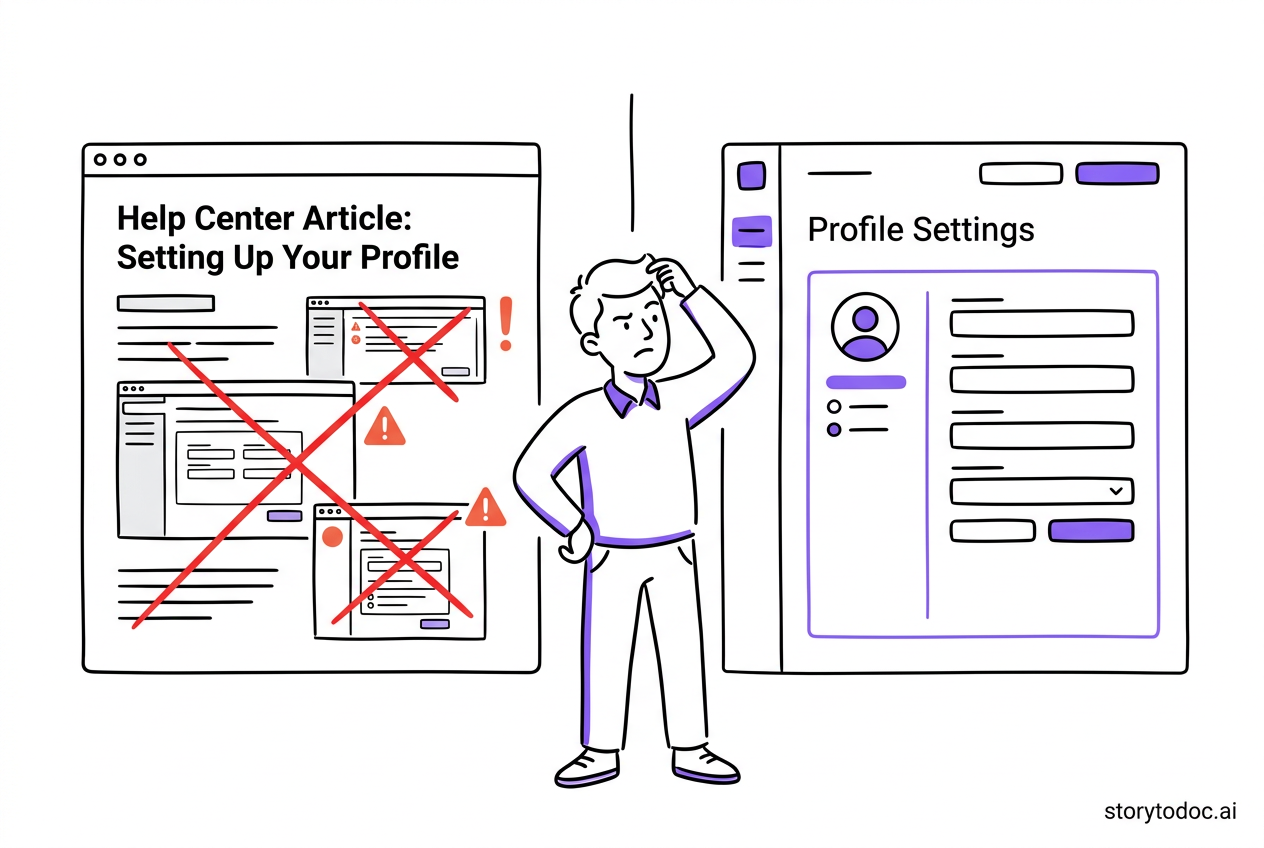
Here's the truth. 80% of product teams have at least half their documentation outdated. Not slightly out of date. Significantly wrong. Screenshots that don't match the UI. Steps that reference features that moved. Workflows that no longer exist.
Sound familiar?
This is the "create and forget" trap, and almost every SaaS team falls into it. You launch the knowledge base with energy. The first 50 articles look sharp. Then product ships an update. Then another. The screenshots stop matching. The step counts change. Nobody notices until customers start filing tickets about the help articles that are supposed to prevent tickets.
The irony is painful.
Gartner's data explains the downstream effect: 40% of self-service attempts fail. A big reason? The content users find doesn't match what they see on screen. So they give up and contact support anyway.
The real cost of bad documentation isn't just wasted effort. It's active damage to customer trust. A knowledge base article that's wrong is worse than no article at all. Users don't just fail to solve their problem. They lose confidence in your product.
Why traditional knowledge base software doesn't solve this:
Every tool on this list is great at content creation. None of them are great at content maintenance. They'll remind you to review articles. Some flag content that hasn't been updated in 90 days. But none of them actually know whether your content matches your current product.
Knowledge base platforms manage content. They don't understand your product. They can't detect when your UI changes, when workflows shift, or when screenshots become stale.
This is the gap. And it's the reason your knowledge base strategy needs more than just the right platform.
From Knowledge Base to Learning Engine: The Next Evolution
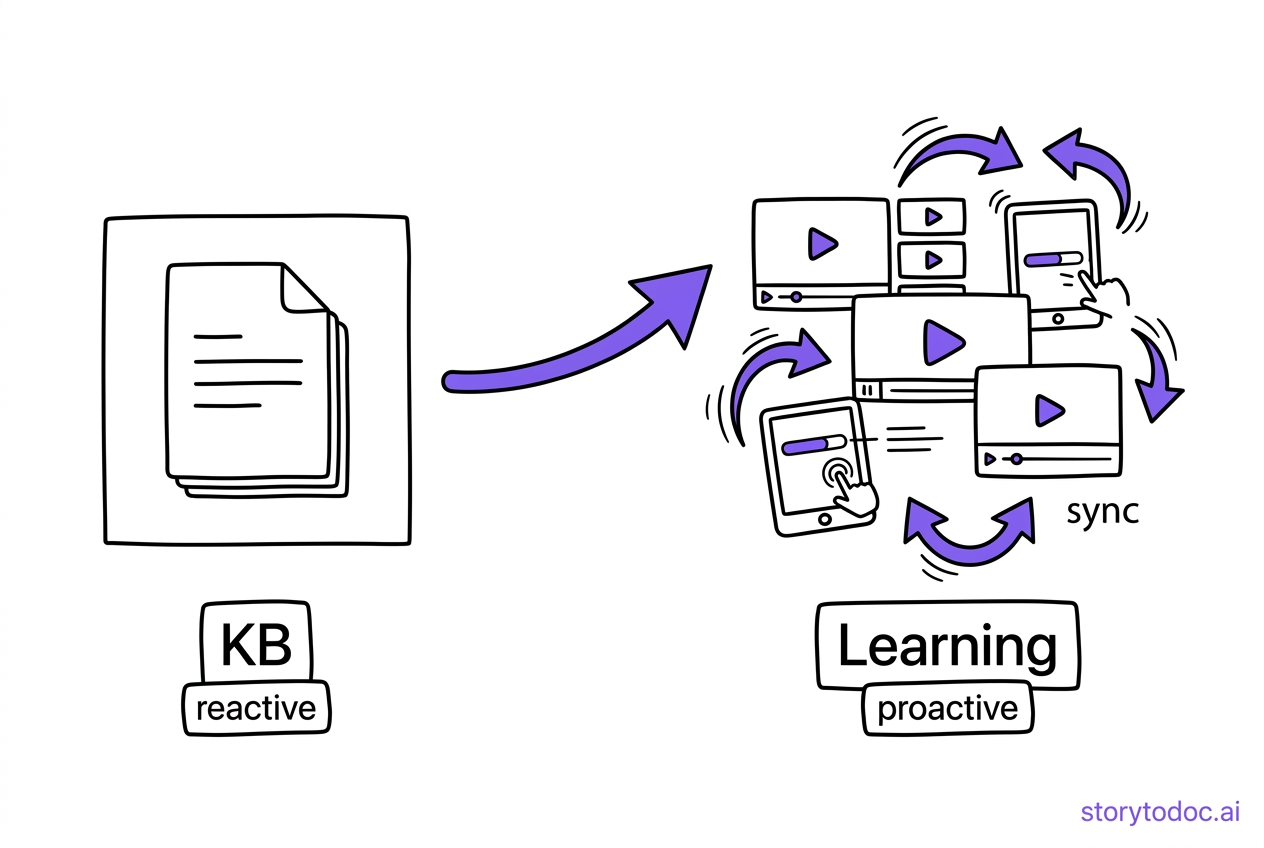
Here's the other thing most buyer's guides miss: knowledge bases are reactive by design.
Think about how a traditional knowledge base works. A user gets stuck. They search for help. They find an article (hopefully). They solve their problem (maybe). They leave.
That's valuable. But it's only half the picture.
The most effective SaaS companies don't just help users solve problems. They help users discover what's possible. That's the difference between a knowledge base and a learning engine. One is reactive (search when stuck). The other is proactive (explore and discover).
Here's what that looks like in practice:
- Knowledge base: User searches "how to export data" because they're stuck
- Learning center: User browses "What can I do with reports?" because they're curious
The first reduces tickets. The second drives feature adoption. Both matter. And the best documentation strategy combines them. Our help center software buyer's guide covers this reactive vs. proactive distinction in depth.
The content freshness problem has a solution.
Instead of manually checking every article after every product update, imagine content that updates automatically. Interactive videos, step-by-step articles, and downloadable PDFs that detect product changes and refresh everywhere they're published.
That's what StorytoDoc does. We're not a knowledge base platform. We're the content layer that makes your knowledge base actually work. Create stories (interactive video + how-to article + PDF) in 5 minutes, embed them in your existing knowledge base (Document360, Zendesk, Intercom, wherever you host), and when your product changes, update everything with one click.
Think of it this way:
- Document360, Zendesk, Help Scout = where your content lives
- StorytoDoc = what keeps your content alive
Then add a Learning Center embedded directly in your product for proactive feature discovery. Same content, two experiences. One reactive (your knowledge base), one proactive (your Learning Center). Users who discover 60%+ of features have 2x retention rates. That's the difference a proactive approach makes.
The combination is what separates knowledge bases that collect dust from knowledge bases that drive real business results.
How to Choose the Right Knowledge Base for Your SaaS
With 10 solid options on the table, the decision comes down to your specific situation. Here's a quick framework:
If you're already using a help desk platform: Choose the integrated option. Zendesk Guide for Zendesk users. Freshdesk KB for Freshworks users. Intercom Articles for Intercom users. The integration value outweighs feature differences between standalone tools.
If you need a standalone, dedicated knowledge base: Document360 or KnowledgeOwl. Both are purpose-built and go deeper on KB features than any bundled solution.
If you're a startup watching every dollar: Notion or Freshdesk's free tier. Get something live, prove the value, upgrade later.
If your primary need is internal knowledge: Confluence or Guru. Both excel at keeping teams aligned and enabling customer-facing staff with accurate information.
If you want an all-in-one platform: HelpCrunch or Help Scout. Clean, affordable bundles that cover KB + communication without the complexity of enterprise tools.
Three Questions to Ask Before You Buy
- How many product updates do you ship per quarter? If the answer is "a lot," content freshness is your #1 concern. Look for tools that help you maintain content, not just create it.
- What platforms do you already use? Integration saves more time than features. Choose the tool that fits your existing stack.
- Who will own the knowledge base? If it's product managers, you need something fast and low-maintenance. If it's a documentation team, you can handle more complexity. Understanding what actually works in SaaS documentation starts with knowing who's responsible for it.
Your Knowledge Base Is Only as Good as the Content Inside It
The tool matters. Pick the right knowledge base software for your stack, your team size, and your budget. Any of the 10 platforms above can get the job done.
But the tool isn't the hard part. Keeping the content accurate, engaging, and current, that's the hard part. And that's where most SaaS teams fall short.
What you can do this week: Audit your existing documentation. Pick 10 articles at random. Check whether the screenshots match your current product. I promise the results will surprise you.
What you can do this month: Choose your knowledge base platform using the framework above. Define who owns content maintenance, not just content creation.
What you can do this quarter: Build a content strategy that includes both reactive support (knowledge base) and proactive learning (embedded learning center). Your users don't just need answers when they're stuck. They need to discover what's possible.
Ready to stop manually updating documentation every time your product changes? See how StorytoDoc keeps your knowledge base content current automatically.
In Doc We Trust.

![Video Documentation Service: The Complete Guide for SaaS Teams [2026]](/images/blog/video-documentation-service-saas-guide-featured.png)
![10 Product Documentation Tools for SaaS [Compared 2026]](/images/blog/product-documentation-software-saas-featured.png)