
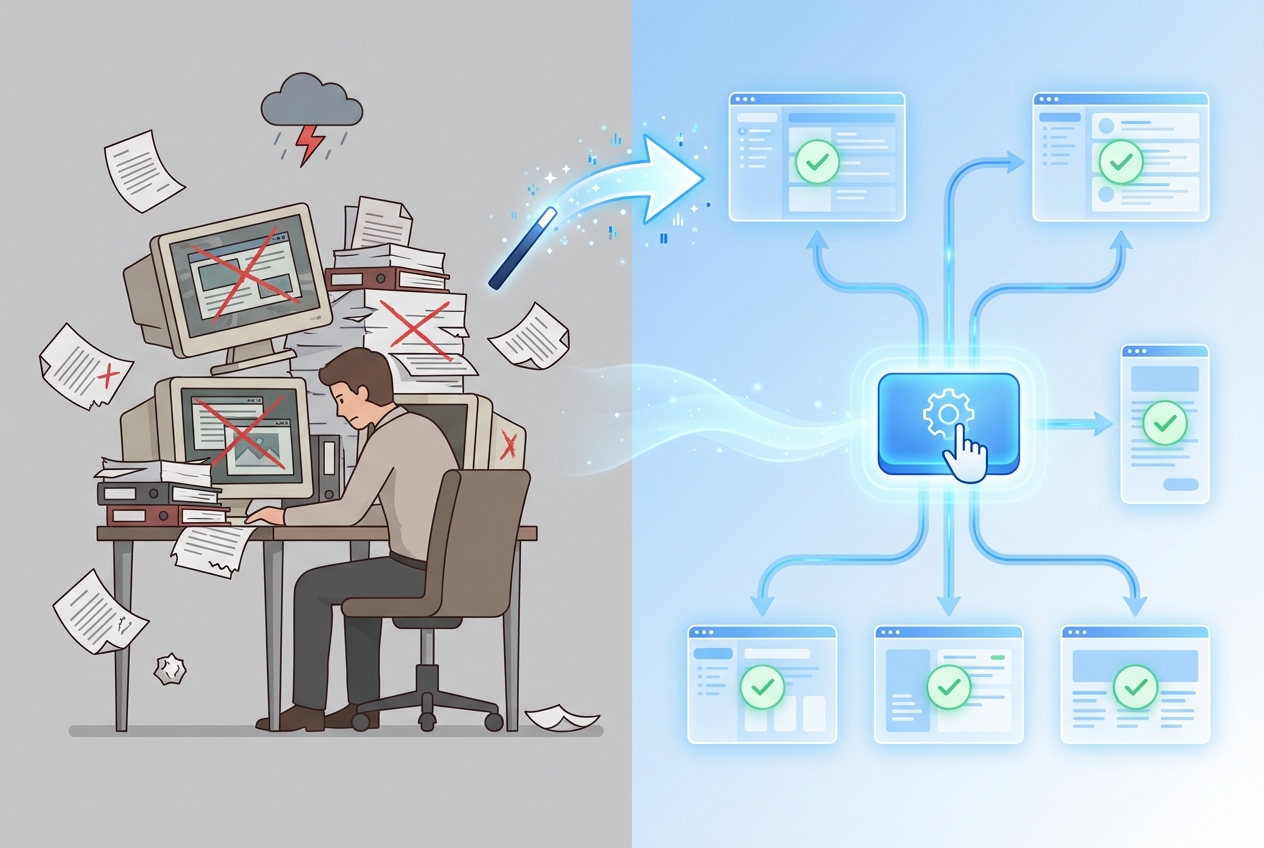
Your product changed yesterday. Your help center content didn't. Here's the truth: I've talked to 50+ product managers, and 80% have at least half their documentation outdated. Everyone knows it's a problem. Most people ignore it.
Auto-updating documentation changes everything. Instead of spending weeks manually recreating screenshots, re-recording videos, and rewriting guides every time you ship an update, your documentation stays current automatically. One click. Done.
In this guide, you'll learn exactly how auto-updating documentation works, why it's the only sustainable solution for fast-moving product teams, and how to implement it without disrupting your existing workflows.
Why Traditional Documentation Dies the Moment You Ship
We had this exact problem. After building dozens of SaaS products, we kept hitting the same wall: create docs, maintain docs, watch them become outdated the moment we ship an update.
The documentation lifecycle for most teams looks like this:
- Week 1: Create beautiful, accurate documentation
- Week 2: Ship a UI update
- Week 3: Documentation is wrong
- Week 4-52: Documentation stays wrong because nobody has time to fix it
Sound familiar?
The math is brutal. According to industry research, the average support conversation costs $10. If half your documentation is outdated and driving unnecessary tickets, you're burning cash on problems that shouldn't exist.
DataCamp discovered this when they made their documentation 10x better. Support tickets dropped 66% in six months. That's not a typo. They didn't hire more support staff. They didn't build new features. They fixed their docs.
The Manual Maintenance Trap
Traditional documentation tools force you into an endless maintenance cycle:
- Screen recording tools (like Loom): Record once, then re-record everything from scratch when your product changes. A 5-minute video requires 30-60 minutes of editing. Multiply that by every feature, every update, every quarter.
- Screenshot tools (like Scribe): Capture static screenshots that become outdated instantly. When your button moves 10 pixels or your menu gets reorganized, you manually recreate the entire guide.
- Traditional help center platforms: Write content that sits frozen while your product evolves daily. Support teams waste hours answering questions that should be self-service.
The hidden cost isn't just time. It's the compound effect of broken documentation eating your business alive. Confused users don't just submit tickets. They churn.
Research shows that 44% of SaaS customers leave because they "aren't achieving desired outcomes." They're not leaving for competitors. They're leaving because they can't figure your product out.
What Auto-Updating Documentation Actually Means
Auto-updating documentation isn't a marketing buzzword. It's a specific technical capability that fundamentally changes how documentation works.
Here's what happens with auto-updating technology:
- You capture a workflow once - Record your product process using intelligent capture technology that understands your product's structure, not just pixels on a screen.
- AI generates complete documentation - From that single capture, you get interactive guides, how-to articles, screenshots with hotspots, and professional videos automatically.
- Your product changes - You ship an update. The UI moves. Features get renamed. Workflows evolve.
- One click updates everything - Instead of manually recreating every piece of content, you click a button. An AI bot navigates to your product URL and re-captures everything automatically. All formats (videos, guides, articles, PDFs) regenerate.
- Documentation stays accurate forever - Or at least until your product changes again. Then you click the button again.
This is the difference between documentation that dies the moment you ship and living documentation that evolves with your product.
How One-Click Updates Work (Technical Reality)
Let me explain what happens under the hood when you click that update button.
Step 1: AI Bot Navigation
An AI-powered bot (using headless browser automation) navigates to your product URL. If your product requires login credentials, you provide a pre-production URL and password once during initial setup.
Step 2: Intelligent Re-Capture
The bot doesn't just replay your original clicks blindly. It uses goal-based navigation to complete the workflow, adapting if UI elements have moved or changed. This is called "self-healing" capture.
Step 3: Content Regeneration
Once the workflow is re-captured, AI regenerates all content: new screenshots, updated step descriptions, refreshed video narration. Everything stays in sync.
Step 4: Multi-Format Output
A single re-capture updates your interactive video, step-by-step article, PDF export, and any embedded content simultaneously. One action, multiple outputs.
Step 5: QA Validation
For teams managing multiple stories, capture plans let you update documentation sequentially with validation checkpoints. Review each updated story before proceeding to the next.
The Real Cost of Not Having Auto-Updating Documentation
Let's talk money. Real money.
Support Ticket Costs
Every support interaction costs approximately $10. If you're handling 500 tickets a month at $10 each, that's $5,000 monthly just for ticket handling.
Now consider that 20-50% of those tickets exist because your documentation is wrong or outdated. That's $1,000-$2,500 per month in preventable costs. $12,000-$30,000 per year.
Companies implementing strong documentation see 20-50% support ticket reduction within 3-6 months. Buffer saw 26% fewer tickets just by redesigning their help center. Sikt cut their support burden in half.
Time Costs for Product Teams
Product managers spend an average of 5 days creating comprehensive documentation manually. With video content, that time explodes because of the editing overhead.
Industry standard: 30-60 minutes of editing per 1 minute of final video. A 5-minute product tutorial requires 2.5-5 hours of editing work.
Teams using auto-updating documentation report 90% time savings. What took 5 days now takes 5 minutes. What required hours of video editing happens automatically.
Churn Costs
This is where it gets expensive.
A 5% boost in customer retention can increase profits by up to 95%. Customer acquisition costs 5-25x more than retention. Every customer you keep is five to twenty-five customers you don't need to acquire.
When documentation stays accurate, users achieve their goals. When users achieve their goals, they don't churn. The connection between documentation quality and customer retention is direct and measurable.
Auto-Updating Documentation vs. Traditional Tools
Let's compare auto-updating documentation with the tools most teams currently use.
vs. Screen Recording (Loom, etc.)
Traditional approach:
- Record manually, edit for 30-60 minutes per minute of final video
- Product changes? Re-record everything from scratch
- Passive viewing only, no interactivity
- Single format output (video only)
Auto-updating approach:
- Capture once, AI generates professional video in 5-7 minutes
- Product changes? One click updates everything
- Interactive guides users can explore at their own pace
- Multi-format output: videos, guides, articles, PDFs
Time savings: 90% compared to manual recording and editing
vs. Screenshot Tools (Scribe, Tango, etc.)
Traditional approach:
- Capture static screenshots with text annotations
- Product changes? Manually recreate from scratch
- PDF or static image output only
- No video, no interactivity
Auto-updating approach:
- Capture complete workflows as interactive HTML
- Product changes? One click regenerates everything
- Multiple formats including video with AI voice-over
- Interactive guides users can click through
Quality improvement: Interactive videos deliver 10x better learning outcomes than static screenshots
Implementing Auto-Updating Documentation: Practical Steps
Here's what you can do this week to start moving toward auto-updating documentation.
This Week: Audit Your Documentation Debt
Time required: 15 minutes
- List your top 10 most-used help center articles
- Open each one alongside your actual product
- Count how many screenshots don't match current UI
- Calculate: (outdated articles / total articles) x 100 = your documentation debt percentage
Most teams discover 50%+ of their documentation is outdated. That's 50% of your self-service capability not working.
This Month: Identify Your Golden Path
Time required: 2-3 hours
Your "golden path" is the critical user journey from signup to value. Document this first because it has the highest impact on user success.
- Map your user's first 7 days
- Identify the 3-5 workflows that determine whether users succeed or fail
- Prioritize these for your first auto-updating documentation implementation
This Quarter: Launch Your Learning Center
Time required: 1 day with the right tool
A complete, embeddable Learning Center organizes all your documentation in one place. Users can search, browse categories, and learn proactively instead of just searching when stuck.
With auto-updating technology, you can launch a Learning Center in one day:
- Capture your golden path workflows (5-7 minutes each)
- Organize content into logical categories
- Embed with one line of code
- Update everything with one click when your product changes
The Technology Behind Auto-Updating Documentation
HTML Canvas Capture (Not Just Screenshots)
Traditional tools capture pixels - static images that represent what the screen looked like at one moment in time.
Advanced capture technology captures the actual HTML structure of your product interface. This means:
- Editable elements: Text, buttons, and annotations can be modified without re-capturing
- Interactive output: Users can click through steps at their own pace
- Intelligent updates: The system understands your product structure, not just pixel coordinates
AI-Powered Content Generation
Once a workflow is captured, AI generates multiple content types automatically:
- Story titles: Descriptive, SEO-friendly titles generated from workflow content
- Step descriptions: Clear explanations of each action with context
- Screenshot hotspots: Visual indicators showing exactly where to click
- Voice narration: Professional AI voice-over for video content
- Article formatting: Complete how-to articles with proper structure
Self-Healing Automation
When you trigger an update, the automation doesn't just replay your original clicks. It uses goal-based navigation:
- Goal identification: What was the user trying to accomplish?
- Adaptive navigation: Find the current path to that goal, even if UI has changed
- Intelligent validation: Verify the goal was reached successfully
- Change detection: Flag significant differences for human review
This means minor UI changes (button position, menu reorganization) don't break your documentation. The system adapts.
Measuring Auto-Updating Documentation ROI
Metrics to Track
Documentation accuracy rate:
- Baseline: What percentage of your docs match current product?
- Target: 95%+ accuracy maintained continuously
Time to update:
- Baseline: Hours or days to update documentation after product changes
- Target: Minutes with one-click updates
Support ticket deflection:
- Baseline: What percentage of tickets could self-service documentation answer?
- Target: 20-50% reduction in ticket volume
User onboarding time:
- Baseline: How long until users reach first value?
- Target: 50% reduction with better self-service documentation
Expected Timeline
Month 1: Implement auto-updating documentation for top 10 workflows. Measure baseline metrics.
Month 3: Expand to full product coverage. First measurable improvements in support ticket volume.
Month 6: Full ROI realization. Teams report 200-500% return on documentation investment.
The Future of Product Documentation
Manual documentation is dying. Not because it doesn't work - but because products evolve too fast for humans to maintain accurate docs manually.
The teams that figure this out first gain competitive advantage:
- Documentation becomes a marketing asset that drives trial conversion
- Support teams scale without proportional headcount growth
- User onboarding improves without constant manual effort
- Product teams ship faster without documentation debt slowing them down
Stripe and Twilio didn't out-market their competition. They out-documented them. Their documentation was so good that developers couldn't resist.
Now imagine that level of documentation quality maintained automatically, forever, with one click.
That's what auto-updating documentation makes possible.
Your Next Steps
Every day you wait costs money. Real money. $10 at a time. Thousands of times.
What you can do tomorrow:
- Calculate your documentation debt (15 minutes)
- Identify your golden path - the critical user journey that determines success
- Evaluate whether your current tools can maintain accurate documentation at your shipping velocity
What you can do this month:
- See how auto-updating documentation works in practice
- Map your top 10 most-used documentation pages
- Calculate the manual maintenance cost for each
What you can do this quarter:
- Implement auto-updating documentation for critical workflows
- Launch an embedded Learning Center
- Measure the impact on support tickets and user success
DataCamp decided to fix their docs. They saved 66%.
Buffer decided. They saved 26%.
Sikt decided. They saved 50%.
What's your number going to be?
The fix isn't complicated. It's not expensive. It just takes deciding that documentation matters - and choosing tools that make maintenance sustainable.
In Doc We Trust.

![Video Documentation Service: The Complete Guide for SaaS Teams [2026]](/images/blog/video-documentation-service-saas-guide-featured.png)
![10 Product Documentation Tools for SaaS [Compared 2026]](/images/blog/product-documentation-software-saas-featured.png)